A 1Password Runtime for Local Agents and Desktop Apps
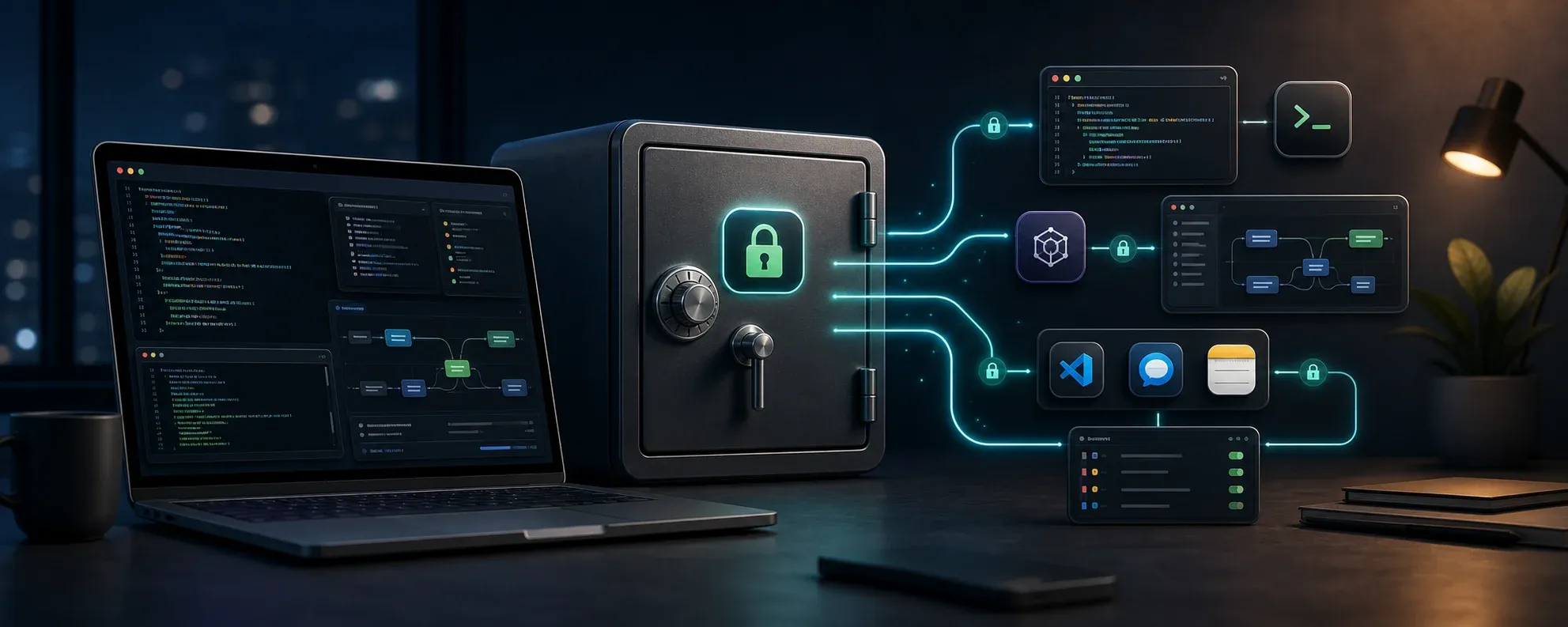
There is a funny phase when you start using local agents seriously.
At first, everything is simple: you have an API key, you put it in .zshrc, .bashrc, .env, or whatever shell file you use, and move on.
Then it grows.
One tool needs the key. Then a skill needs it. Then an automation. Then a desktop app that is not launched from your terminal. And at some point your shell config becomes the place where half of your operational secrets live.
I have been moving that layer to 1Password.
Not as in “store the key in 1Password and copy it manually when needed”, but as an actual runtime for agents: credentials live in 1Password, processes receive them only when they need them, and shell startup files stop being the secret store.
The problem is not only where the key is stored
Putting an API key in a shell rc file has two separate problems.
The first one is obvious: the secret is stored in plain text in a file that gets loaded all the time.
The second one is more subtle: you end up treating your shell environment as your permission system.
If a tool needs OPENROUTER_API_KEY, you export it. If another one needs TELEGRAM_BOT_TOKEN, you export that too. If a child process inherits everything, well, that’s just how the environment works.
For a while this may be acceptable because it is simple. But if your workflow depends more and more on agents, automations, CLIs, and tools calling other tools, it becomes a weak foundation.
Not because everything is going to explode tomorrow. Because you lose control.
The base piece: 1Password plus a wrapper
The setup I ended up with looks like this:
- A dedicated 1Password vault for agent runtime secrets.
- A service account with limited read access to that vault.
- An environment file containing 1Password references, not real values.
- A small wrapper that runs commands with those variables resolved.
The environment file does not contain secrets:
OPENROUTER_API_KEY=op://Agent Runtime/OpenRouter API Key/password
GEMINI_API_KEY=op://Agent Runtime/Gemini API Key/password
LISTMONK_API_KEY=op://Agent Runtime/Listmonk API Key/password
Conceptually, it becomes a secret-aware equivalent of a shared shell config, without storing the secrets there.
Then the wrapper does something like this:
#!/usr/bin/env bash
set -euo pipefail

token_file="${OPRUN_TOKEN_FILE:-$HOME/.config/1password/agent-runtime-token}"
env_file="${OPRUN_ENV_FILE:-$HOME/.config/op/agent-runtime.env}"

export OP_SERVICE_ACCOUNT_TOKEN
OP_SERVICE_ACCOUNT_TOKEN="$(<"$token_file")"

exec op run --env-file "$env_file" -- env -u OP_SERVICE_ACCOUNT_TOKEN "$@"
I called mine oprun, mostly because ergonomics matter:
oprun listmonk campaigns list
oprun postflow schedule list
oprun node script-that-needs-openrouter.js
The name is not the important part. The important part is that the command receives the resolved variables, but the service account token does not remain available to the child process.
That detail matters.
The process may need OPENROUTER_API_KEY. It does not need generic access to the vault.
Skills can now ask for secrets explicitly
Once this exists, skills and runbooks can stop assuming that every secret is globally exported.
Before:
listmonk campaigns list
After:
oprun listmonk campaigns list
It looks like a small change, but it moves the security boundary.
The shell can still hold non-sensitive configuration: base URLs, usernames, flags, paths. API keys and tokens go through 1Password at execution time.
For agents this fits very well, because credential access becomes an operational convention. If a skill needs Listmonk, it uses oprun. If it needs PostFlow, same thing. If it needs OpenRouter or Gemini, same thing.
You no longer depend on a particular terminal session having the right environment loaded.
The weird case: desktop apps
The problem gets more interesting with desktop apps.
A CLI launched from your terminal can use oprun easily. But an app opened from Finder, Spotlight, or the Dock does not inherit your interactive shell environment.
I ran into this with OpenCode.
The app needed credentials that were already correctly stored in 1Password and worked from the terminal. But when launched as a normal macOS app, it could not see those variables.
There are a few ways to solve this:
- keep those variables in a global user environment;
- use a tool-specific plugin;
- always launch the app from the terminal;
- create a wrapper
.app.
The last option is the one I like most.
A small .app that points to the real app
The wrapper is not a copy of the application.
It is a minimal macOS app that may live at something like /Applications/OpenCode Agent Runtime.app, but internally runs:
$HOME/.local/bin/oprun /Applications/OpenCode.app/Contents/MacOS/OpenCode
The original app still lives at /Applications/OpenCode.app.
If OpenCode updates, the real app updates. The wrapper only points to the executable inside the bundle. As long as the app path and executable name remain stable, there is nothing else to do.
The wrapper has its own Info.plist, can copy the icon from the original app so it looks normal in Finder and the Dock, and registers itself with LaunchServices so macOS treats it like any other app.
The executable part can be as small as this:
#!/usr/bin/env bash
set -euo pipefail

log_dir="${AGENT_RUNTIME_LOG_DIR:-$HOME/Library/Logs/AgentRuntime}"
mkdir -p "$log_dir"

exec "$HOME/.local/bin/oprun" \
  /Applications/OpenCode.app/Contents/MacOS/OpenCode \
  "$@" >>"$log_dir/opencode-agent-runtime.log" 2>&1
Now you can put that wrapper in the Dock and open it like a normal app.
It is not perfect. If the target app changes its internal executable name or bundle structure, you regenerate the wrapper. But it is clean, reversible, and easy to understand.
What I verify
There are three checks I care about:
- The real app opens from Finder or the Dock.
- The child process receives the variables it needs.
OP_SERVICE_ACCOUNT_TOKENdoes not appear in the child process environment.
The third one is the important part.
The service account exists to resolve secrets. It should not remain available inside every app launched through the wrapper.
It is also worth making sure that oprun does not depend on your interactive shell PATH. Apps opened from Finder usually get a much thinner environment than a terminal. If your wrapper calls op, make sure the wrapper can find the 1Password CLI through an absolute path or explicit configuration.
That was exactly the first bug I hit: everything worked from the terminal, but Finder launches could not find op. The fix was to make oprun locate the 1Password CLI without relying on the interactive shell.
The pattern I care about
What I like about this is not that it works for OpenCode.
I like the general pattern:
- secrets live in 1Password;
- non-sensitive config stays in the shell;
- agent commands run through
oprun; - desktop apps use tiny
.appwrappers; - no API keys copied into shell startup files;
- no need to launch everything from the terminal.
And it is easy to turn into a skill.
An agent can now create this kind of launcher for any macOS app: inspect the original bundle, detect the real executable, generate the wrapper app, copy the icon if available, register it, and tell you how to verify that secrets arrive without leaking the service account token.
I am not presenting this as the final architecture everyone should use.
But if you work with local agents, CLIs, automations, and desktop apps that need access to the same credentials, separating “where secrets live” from “how each process receives them” is a very healthy move.
And your .zshrc stops looking like an open safe.